WebGL engine
Light updated on every frame, with an automatic lightweight fallback to keep the glow flowing.
Ambient light for YouTube — built for Firefox.
Even your Firefox toolbar glows with the video.
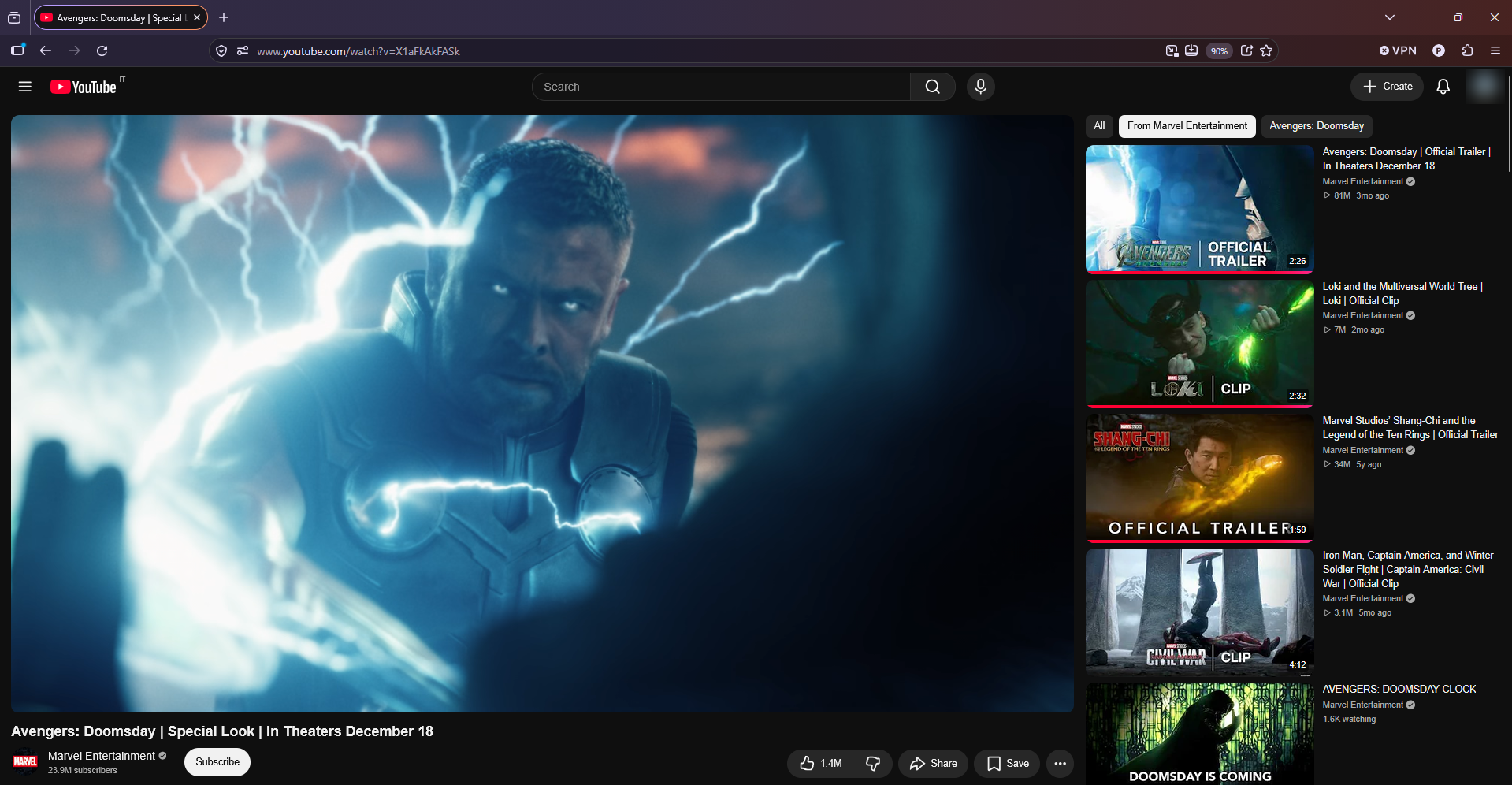
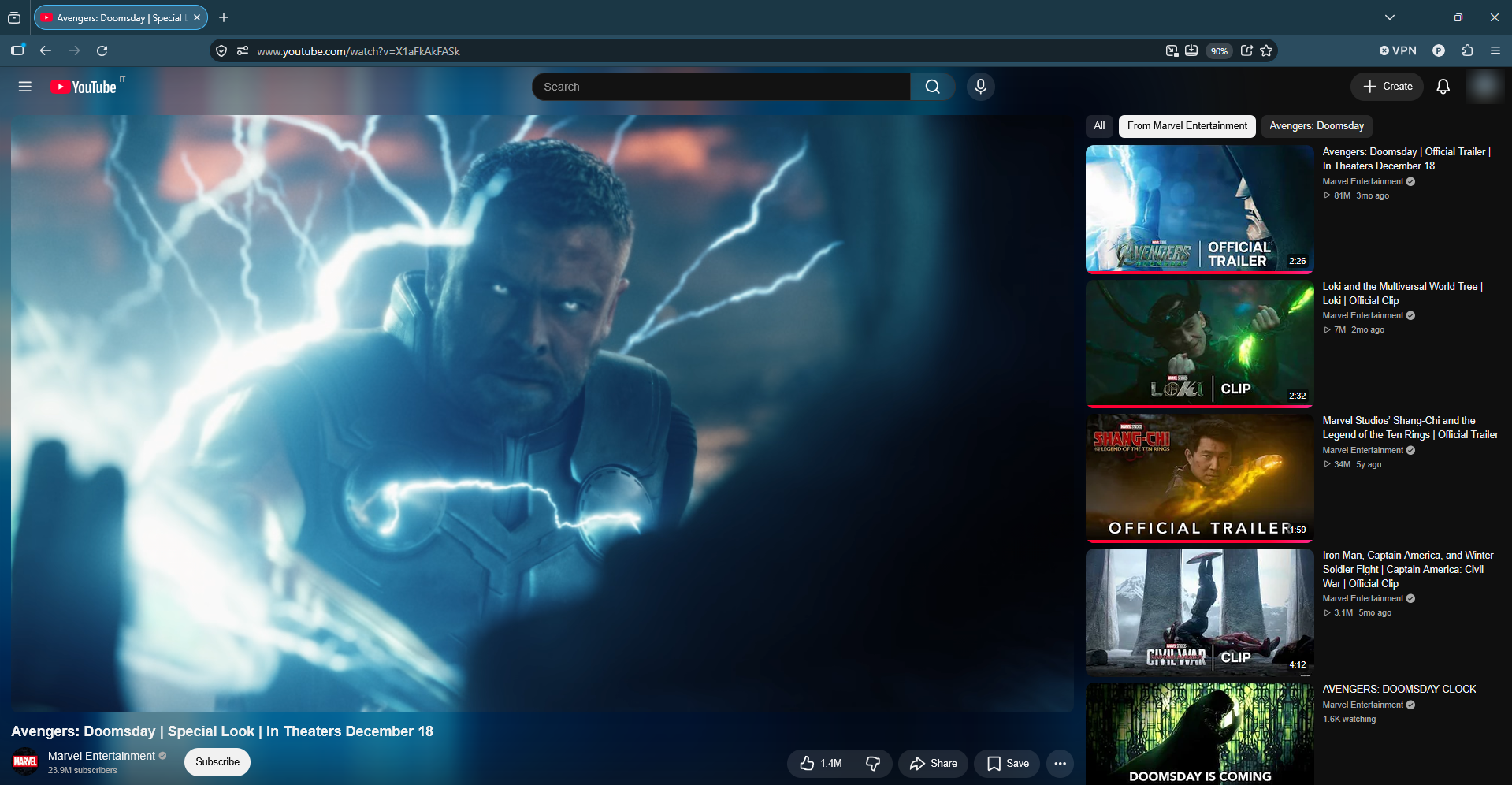
A little light. A whole new atmosphere. Drag to compare, or use the arrow keys when focused.
The comparison images could not load. Please try refreshing the page.
Color follows every frame. Your browser becomes part of the scene.
The demo could not load. Try opening the video directly.
Everything you need to turn everyday watching into a cinematic experience.
Light updated on every frame, with an automatic lightweight fallback to keep the glow flowing.
Automatically handles letterbox and pillarbox bars, without cropping dark scenes.
Your Firefox tabs and address bar take the video's colors. Immersion goes all the way to the top.
Default, theater, fullscreen — or light up the whole page. Watch your way.
Adapts automatically to slower PCs, balancing ambient light with smooth playback.
Free. No ads. No data collected. All processing happens locally in your browser.
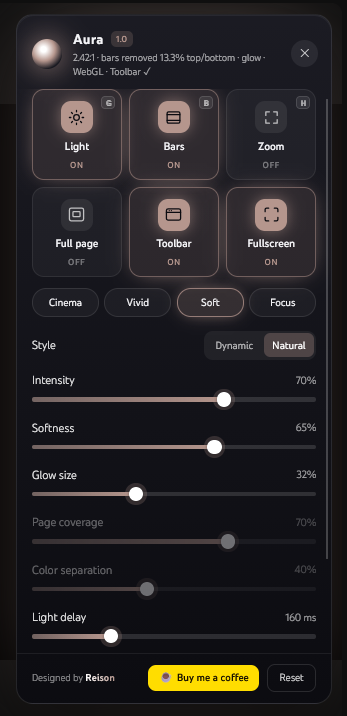
Set the mood in a click, or fine-tune every detail until it feels just right.
Cinema / Vivid / Soft / Focus
Dynamic or Natural — you decide how the light feels.
Intensity, softness, glow size, and light delay.
Aura lives right where you watch.
Visit Aura on Firefox Add-ons in your Firefox browser.
Follow Firefox's prompts to add the extension.
Click the Aura button in the player and let the atmosphere in.
Simple by design. Right down to the details.
Yes. Aura is free to use, with no ads. If you enjoy it, you can optionally support development with a donation via PayPal.
No. Nothing is collected or sent. All processing happens locally in your browser, and settings stay in your browser's local extension storage.
Aura is available for Firefox only for now.
Aura adapts automatically to your PC. For more control, you can switch to the Canvas engine and lower quality in Advanced settings.
Press G while watching a video on YouTube, or use the Light tile in the Aura panel.
Help keep the glow going. Your support helps make room for the next improvement.
💙 Donate with PayPal
Found a bug or have an idea?
Email me: AuraAmbientLightningForYT@gmail.com
Aura does not collect, store or send any personal data. All processing happens locally in your browser. Settings are saved only in your browser's local extension storage. Read the full privacy policy.